Part of MID Tech
Lay out canvases and pixelmaps for LED walls, plan the cabling, work out projector lens throw, and turn the result into a dimensioned, print-ready technical drawing — without doing the weight and power math by hand.
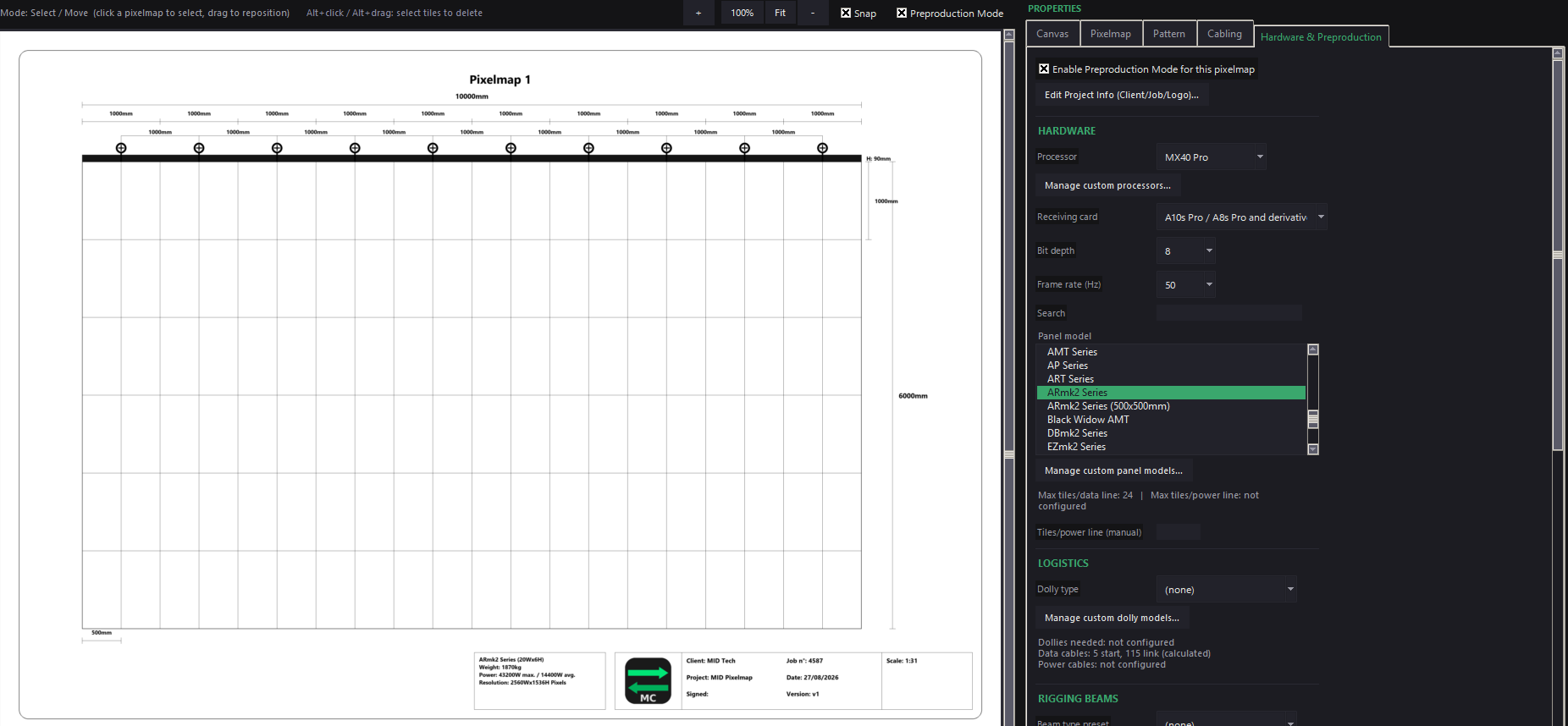
Preproduction Mode
Turn a pixelmap canvas into a fully dimensioned, print-ready technical drawing — tile grid, rigging plan, title block, and a summary info box with client/job details, to scale. Built-in panel libraries for Absen, Brompton, ROE Visual, Colorlight, NovaStar, Unilumin, Gloshine and Desay Opto (plus your own custom equipment) drive automatic weight, power and cabling-capacity numbers.
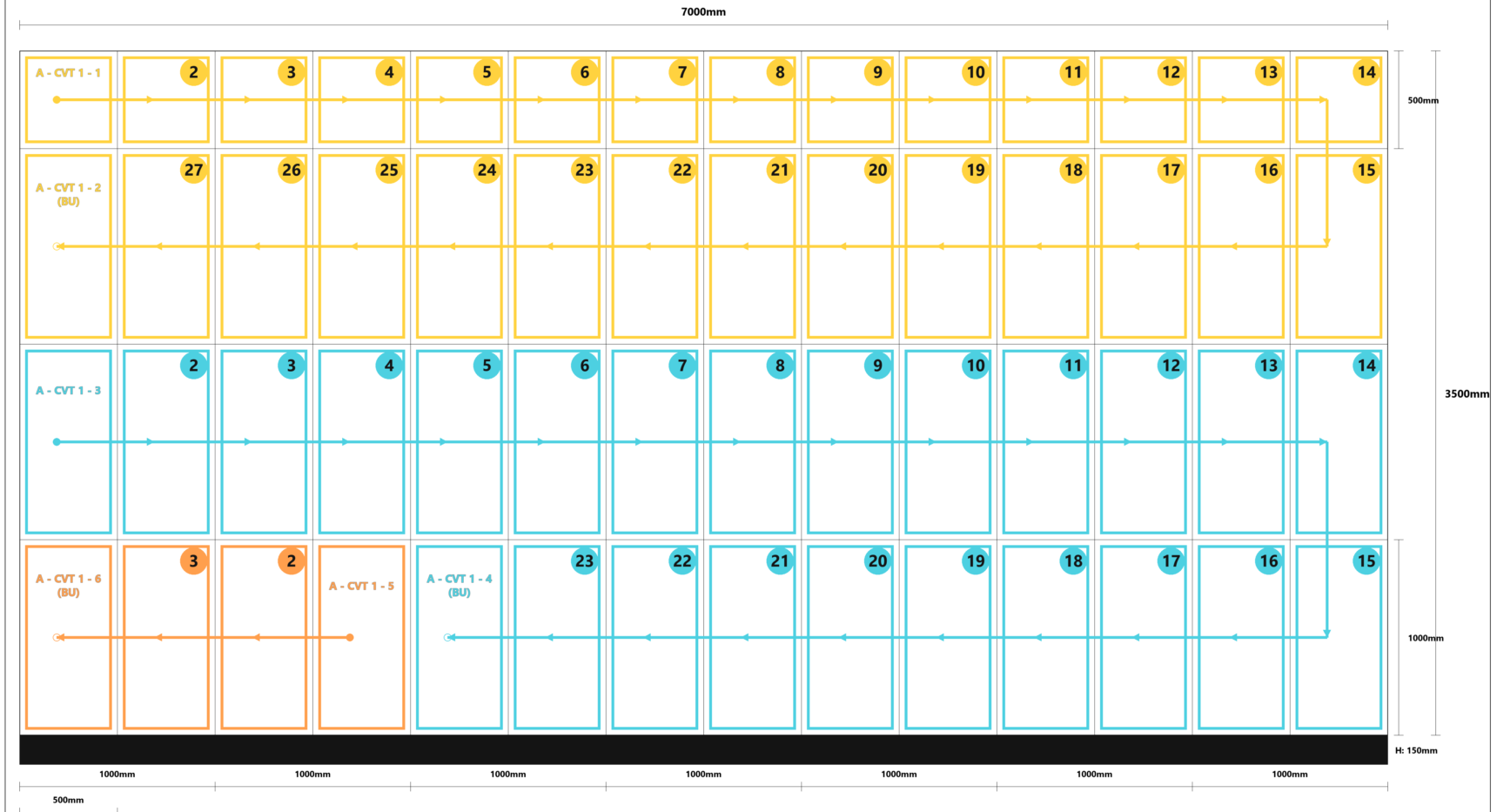
Each data and power circuit now draws in its own colour, with the run direction, tile numbering and backup (BU) circuits laid out clearly on the drawing itself — easier to read at a glance, and easier to hand to a crew that didn't build the plan themselves.
Labels also got a polish pass: numbered badges, optional borders, an on/off toggle, and line avoidance so a label never sits on top of a route it's labelling.
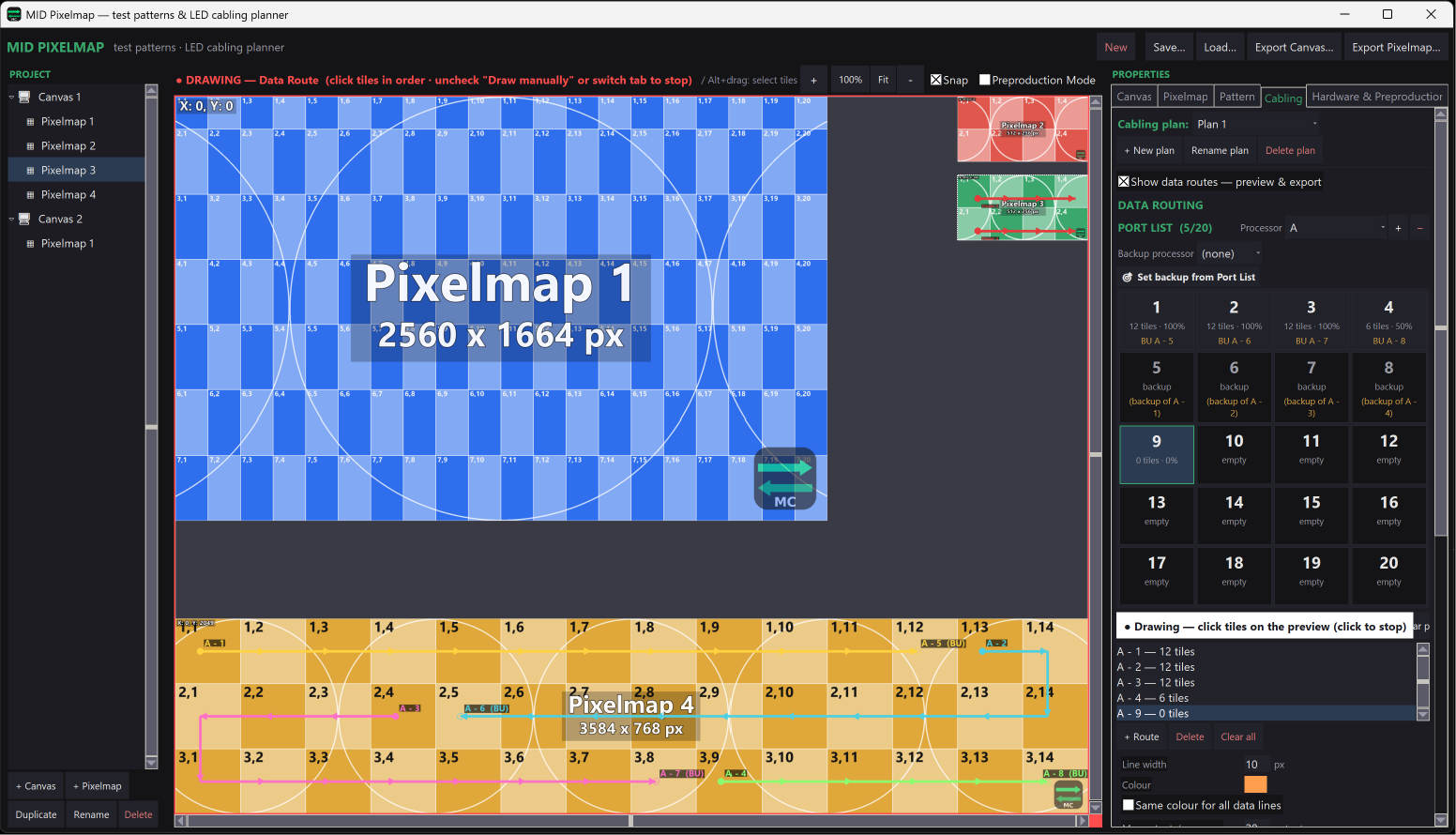
Cabling planner
Generate lettered/numbered alignment grids sized to the real panel resolution, and plan power/data cabling with auto-snake routing across rows or columns — export the canvas or the pixelmap straight to your render pipeline.
Also need lens throw and blend calculations?
Projector and lens libraries, multi-projector arrays, PDF export — split out into its own window, with an optional read-only link back to your Pixelmap screen size.
MID Pixelmap is included in the Preproduction tier (with MID Lens Calculator and MID Generator) — plus Full Suite, once it's ready.