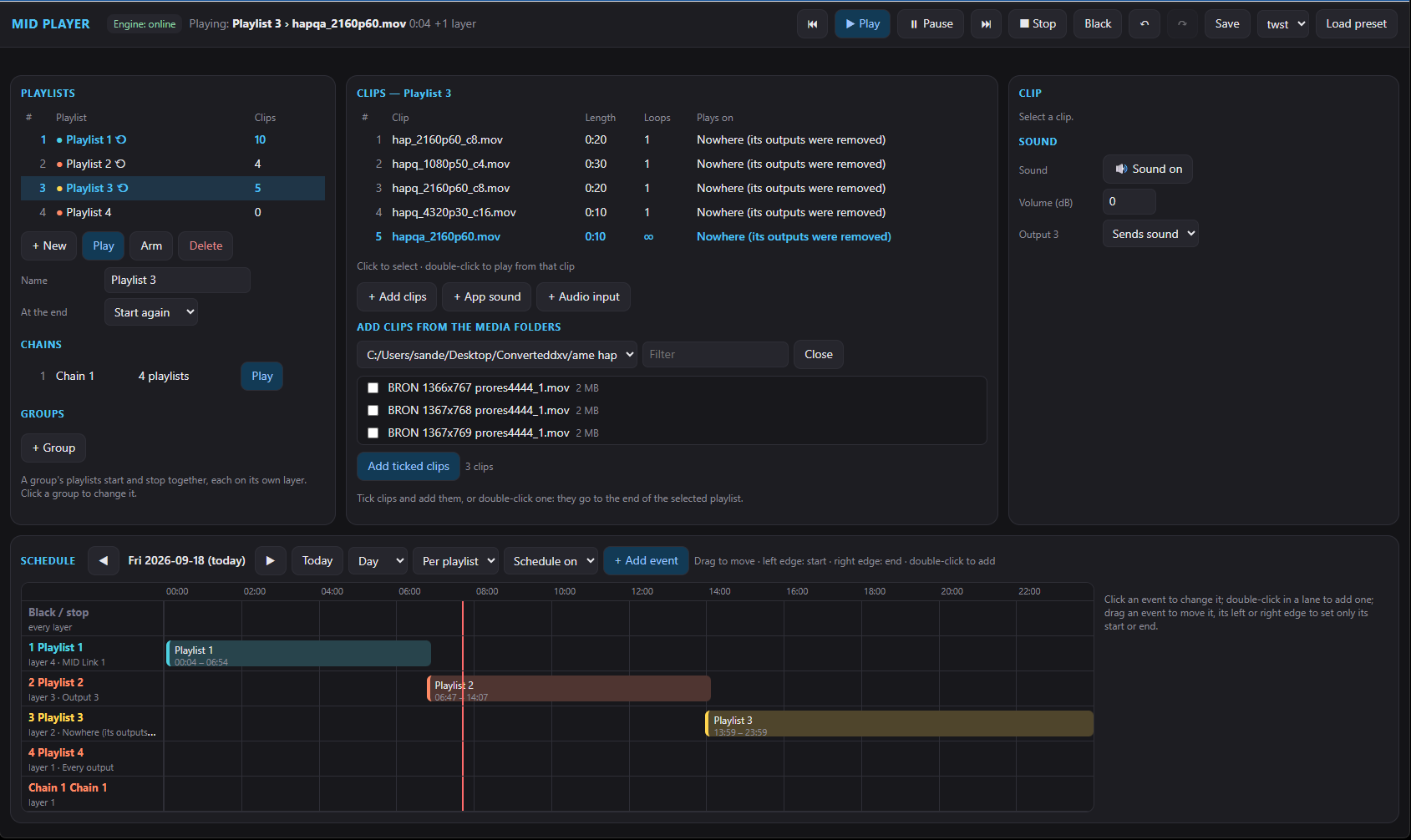
HAP video player & playout software
MID Player plays HAP video — the codec made for smooth, low-CPU playback of high-resolution content on the graphics card. Build video playlists, schedule them by time of day, and map the picture onto any screen, projector or LED processor — for shows as well as digital signage, controlled over the network and streamed out over NDI® or the internet.
What people use it for
HAP, HAP Alpha, HAP Q and HAP Q Alpha, with the processor left free for the rest of the show.
HAP player → Digital signageTelevisions play their own playlist, keep playing when the connection is gone and are managed from one window.
Digital signage → Video playlistsChain, group and stack clips, and start them by time of day without anyone pressing play.
Video playlists ↓ StreamingSend picture and sound to other MID Players and browsers by group and password, encrypted end to end.
Video streaming →Build video playlists of clips and let them run on a schedule by time of day, instead of triggering everything by hand. Chain playlists to play one after another, or group them to start and stop together — each on its own layer, with crossfades between clips.
Run MID Player from its own window, from a web page on your phone or tablet, or from OSC — the same remote-control pattern as the rest of MID Tech, so it fits straight into a show file already built around Companion or another OSC controller.
NDI® is a registered trademark of Vizrt NDI AB. ndi.video
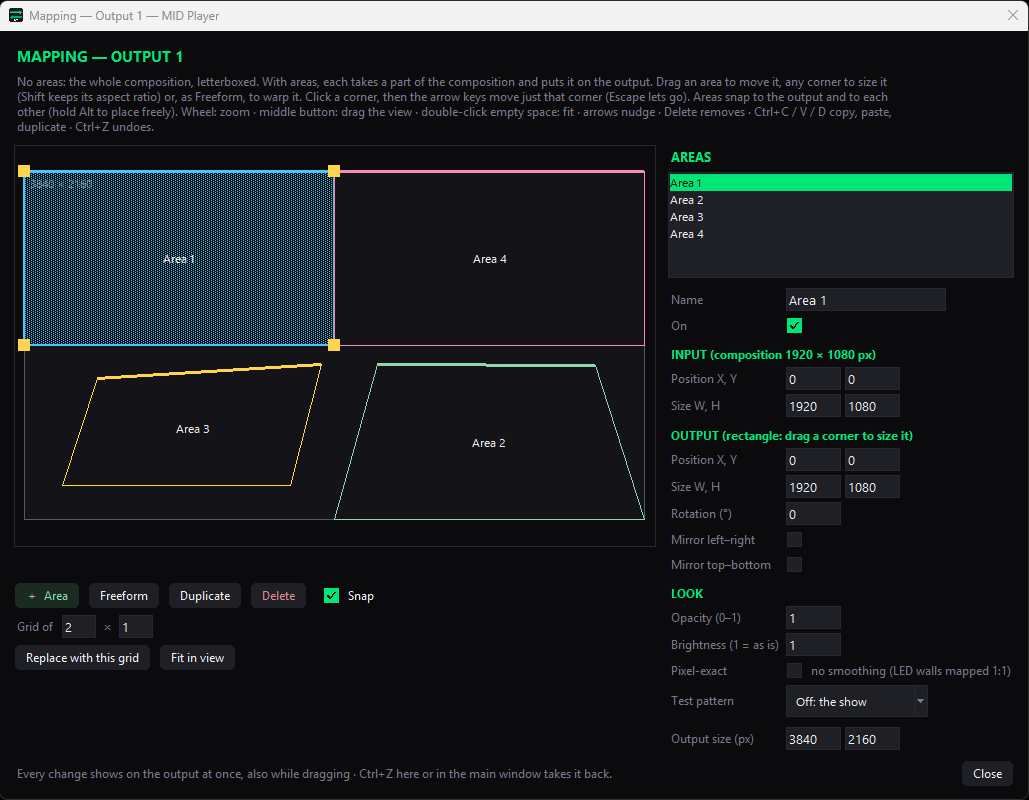
Output mapping
Split an output into Areas and send each one a part of the composition — one output can carry several Areas, and one video can be split across several screens at once. Drag each Area's corners to fit any surface, snap everything into place, and check the result live with a built-in test pattern.
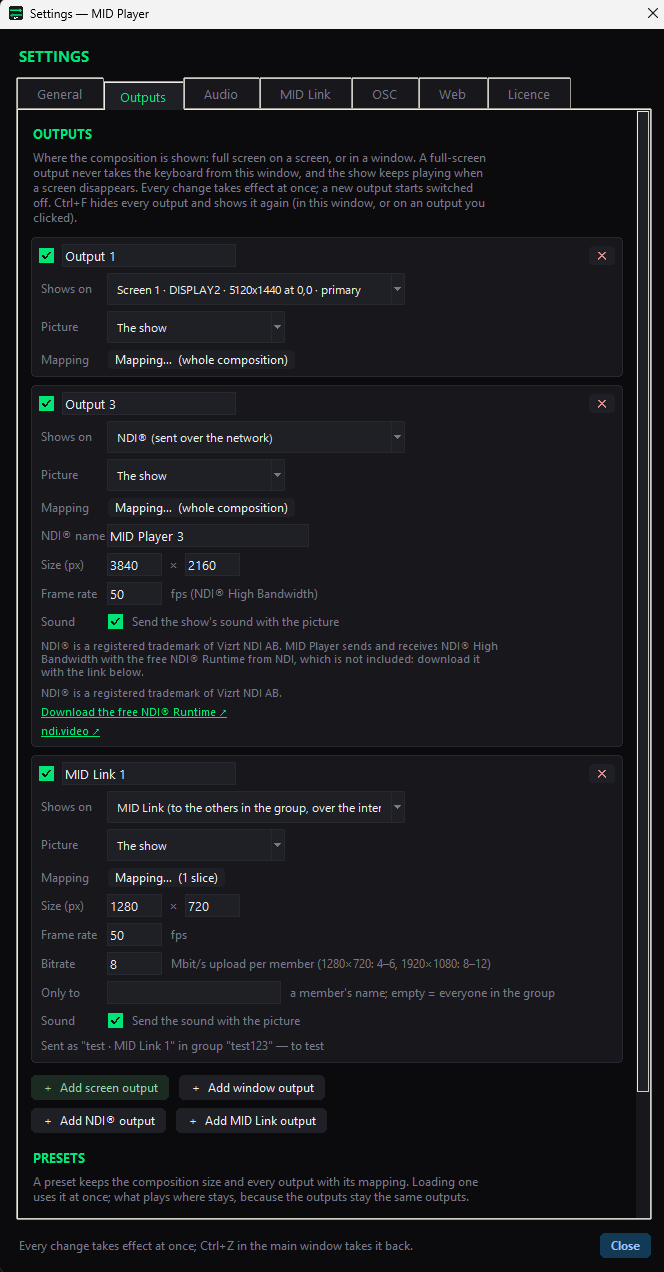
Outputs
Add a full-screen or windowed output on any connected screen, an NDI® output to send the picture over the network, or a MID Link output to share it with the rest of your MID Link group. Every change takes effect at once; a new output starts switched off until you're ready for it.
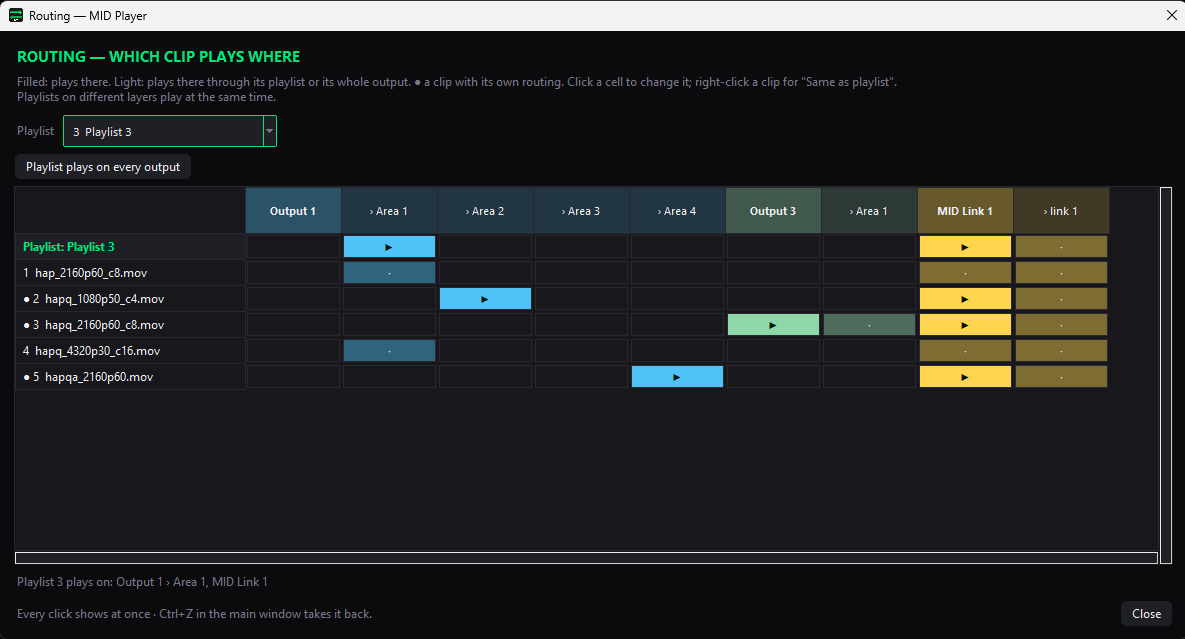
Routing
A routing grid shows every clip in a playlist against every output and Area — click a cell to send that clip there instead of following its playlist, or right-click to set it back to "Same as playlist". A playlist can also be sent to every output at once.
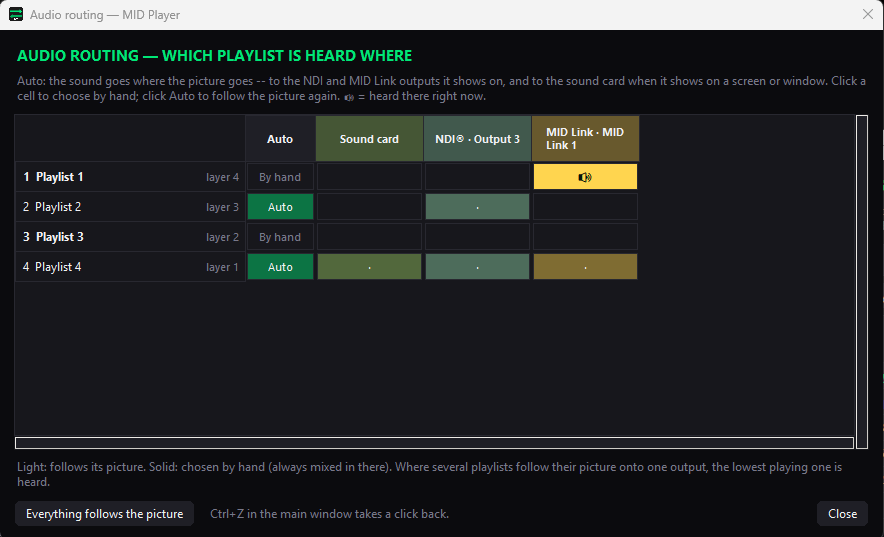
Audio routing
Sound follows the picture by default — a playlist sends its sound to whichever outputs show it. Switch any playlist to a chosen output by hand instead, so its sound goes to the sound card, an NDI® output or a MID Link output regardless of what's on screen.
Web remote
Play, arm and edit playlists, clips, groups and the schedule from a phone, tablet or any other browser on the network — an optional PIN keeps it to whoever you share it with. It's a control surface for the show, not a copy of the app: outputs, mapping and routing stay in the main window.
New — MID Link
MID Link sends a MID Player's picture and sound straight to every other MID Player (or browser) in the same group — join with a group name and password, no account, no server in between. Signalling runs over encrypted public relays, but the picture and sound themselves go directly between the computers, encrypted end to end; MID Tech's own servers see none of it.
Questions
MID Player is a video player and playout application for Windows, part of MID Tech. It plays HAP video on the graphics card, organises clips in playlists, chains, groups and stacks, runs them on a schedule, and sends the picture to screens, projectors, LED processors, NDI® and the internet.
Yes. Televisions, monitors or tablets with nothing but a browser play their own playlist as signage screens, keep playing when the connection is gone and are managed from one window. See the digital signage page.
HAP, HAP Alpha, HAP Q and HAP Q Alpha in .mov files, WAV sound, and PNG and JPEG pictures. Live sources such as NDI® and capture devices can be added to a playlist as well. Other codecs such as H.264 are listed but not played.
Yes. Playlists can be chained, grouped and stacked, and a schedule by time of day starts and changes them without anyone pressing play.
Yes. It sends NDI® High Bandwidth video over a network, and MID Link shares picture and sound with other MID Players and browsers over the internet, peer-to-peer and encrypted. See video streaming.
Yes: from the app, from a web page on a phone or tablet on the same network, over the internet at midtech.be/control, or with OSC from a show controller.
MID Player is included in the Show tier and in Full Suite. The installer runs in trial mode until you enter an activation code. See pricing.
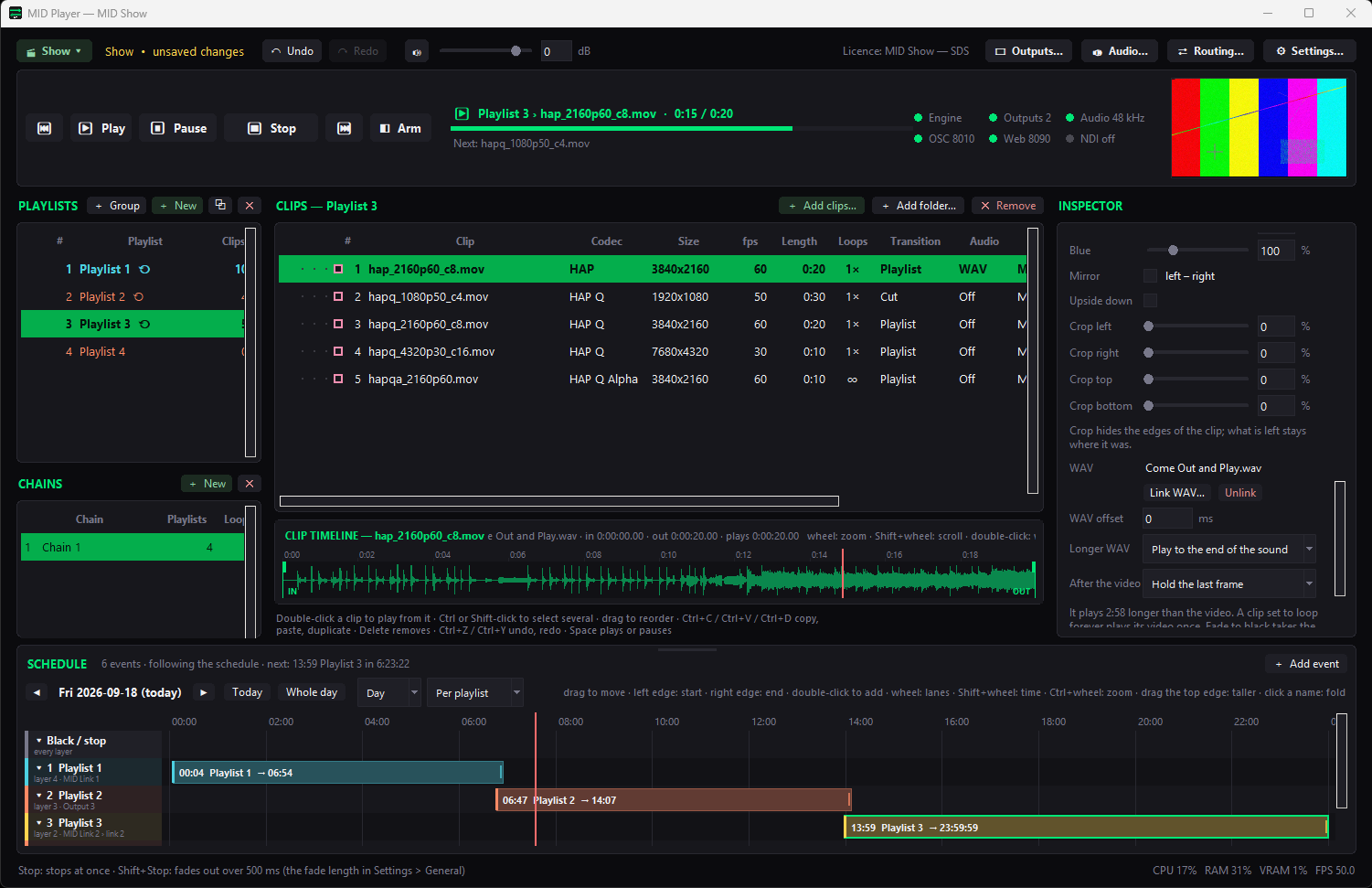
MID Player is included in the Show tier (with MID Countdown, MID Sync and MID Generator) — plus Full Suite, once it's ready.